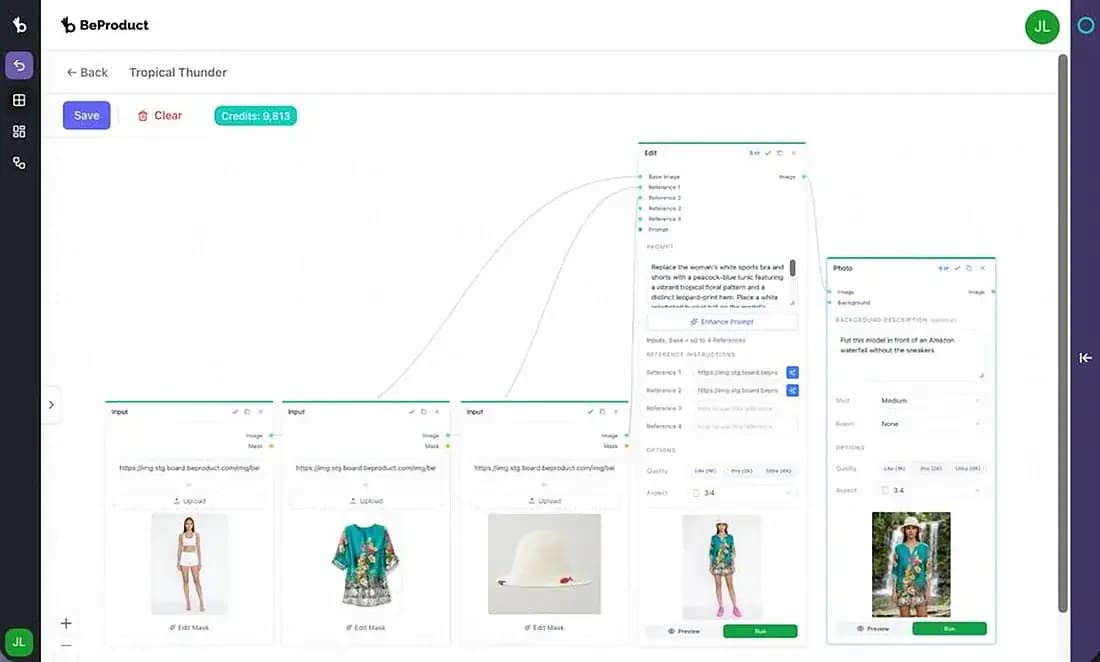
Bring base images, assets, and prompts together.
Keep the setup visual and the logic easy to follow.

A more visual, more connected workspace for product teams. The new Collections experience brings collections, AI Studio, presets, references, and on-model creation together so teams can move from inspiration to execution faster.
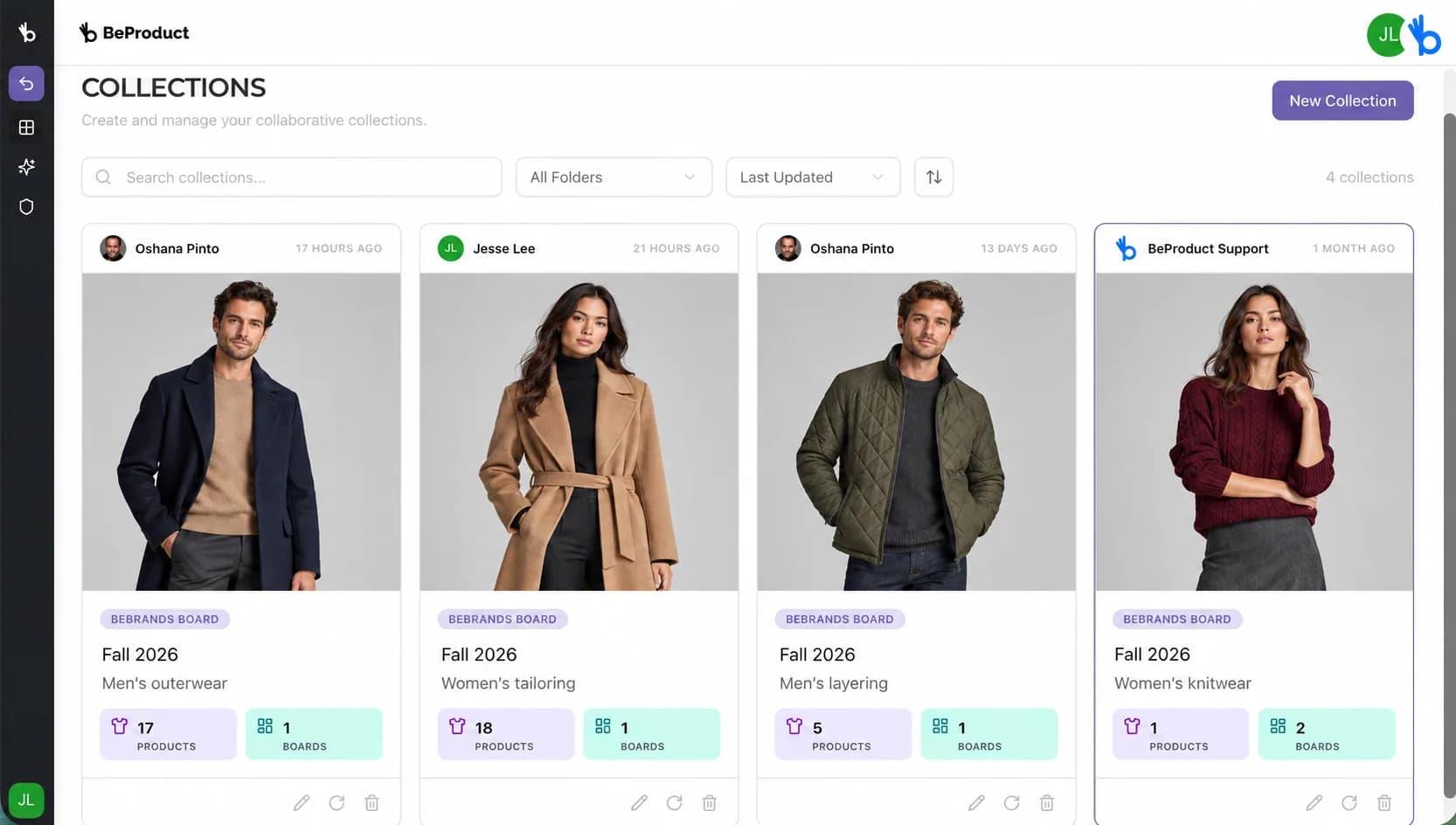
Fall 2026 menswear and womenswear, organized in BeProduct Collections.
Collections sit at the center of how fashion teams work: concept collections, line reviews, buyer meetings, and leadership decks. Yet most are still assembled by hand, passed between departments, and rebuilt from screenshots and exports. That creates separate versions, hidden changes, and teams waiting for one another instead of working together.
The new Collections end the ritual.
One shared workspace from line plan to client-ready presentation, with every element linked to live product data. Every teammate can enter the same project, see who else is working, contribute simultaneously, and make decisions from the same current version.
Plan the line in one place. Add styles, write the season description, and see everything in style view or colorway view.
Curate colors per client. Keep the exclusive red for one retailer and drop it for another in two clicks.
Arrange the story freely with quick alignment tools while multiple teammates work on the canvas at once. See who is active, follow changes in real time, and frame any area as a page in the exported PDF.
Every card links back to its record. Update the style once and every teammate sees the change across every collection that uses it. No stale decks, version drift, or wondering which file is current.
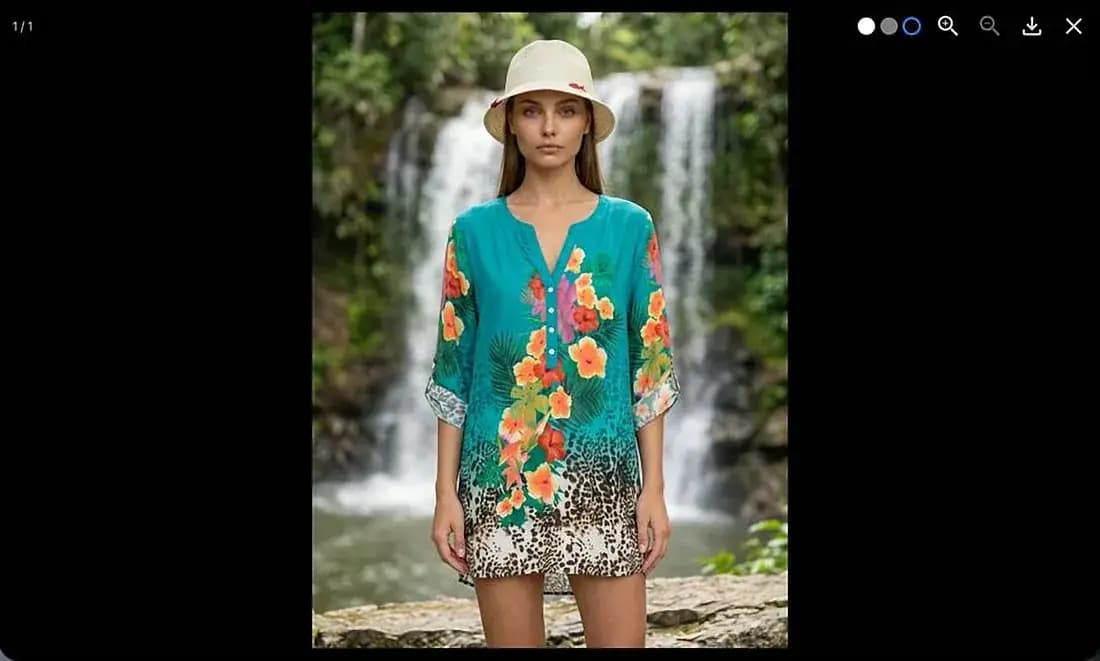
Dress real styles on consistent virtual models. Pose libraries, model reference sheets, presets, outfits, and backgrounds.
Designers, merchandisers, product developers, and leadership can work in the same project simultaneously, see one another working, review updates together, and export client-ready PDFs from the shared live collection.
Plan the line in one place. Add styles, write the season description, and see everything in style view or colorway view.
Curate colors per client. Keep the exclusive red for one retailer and drop it for another in two clicks.
Arrange the story freely with quick alignment tools while multiple teammates work on the canvas at once. See who is active, follow changes in real time, and frame any area as a page in the exported PDF.
Every card links back to its record. Update the style once and every teammate sees the change across every collection that uses it. No stale decks, version drift, or wondering which file is current.
Dress real styles on consistent virtual models. Pose libraries, model reference sheets, presets, outfits, and backgrounds.
Designers, merchandisers, product developers, and leadership can work in the same project simultaneously, see one another working, review updates together, and export client-ready PDFs from the shared live collection.
Dress your real styles on consistent virtual models with saved poses, reference sheets, full outfits, and backgrounds. Designers can create while merchandisers and product teams review the same project live. Imagery and decisions in minutes, not weeks.
Keep the setup visual and the logic easy to follow.


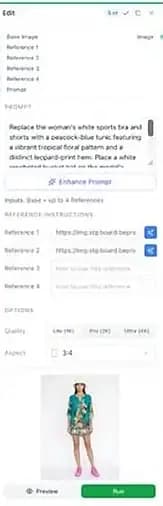

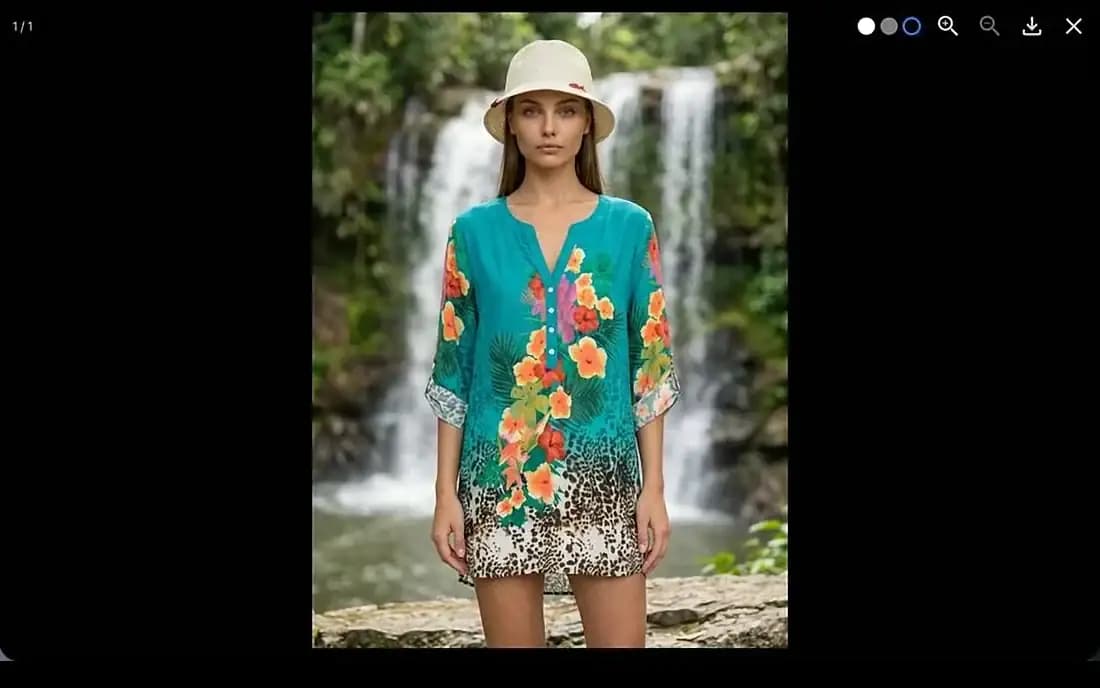
Connect source material and outputs in one streamlined setup.
Upload reference shots or describe the poses you want. Set body type, age range, and framing once, then reuse forever.
Upload photos and AI Studio generates a full reference sheet: front, side, back, and closeups. Details stay accurate from every angle.
Model plus poses plus outfit pieces plus backgrounds. Your look, repeatable across the whole line.
Apply the preset across the collection and export imagery of every style on model, ready for the collection.
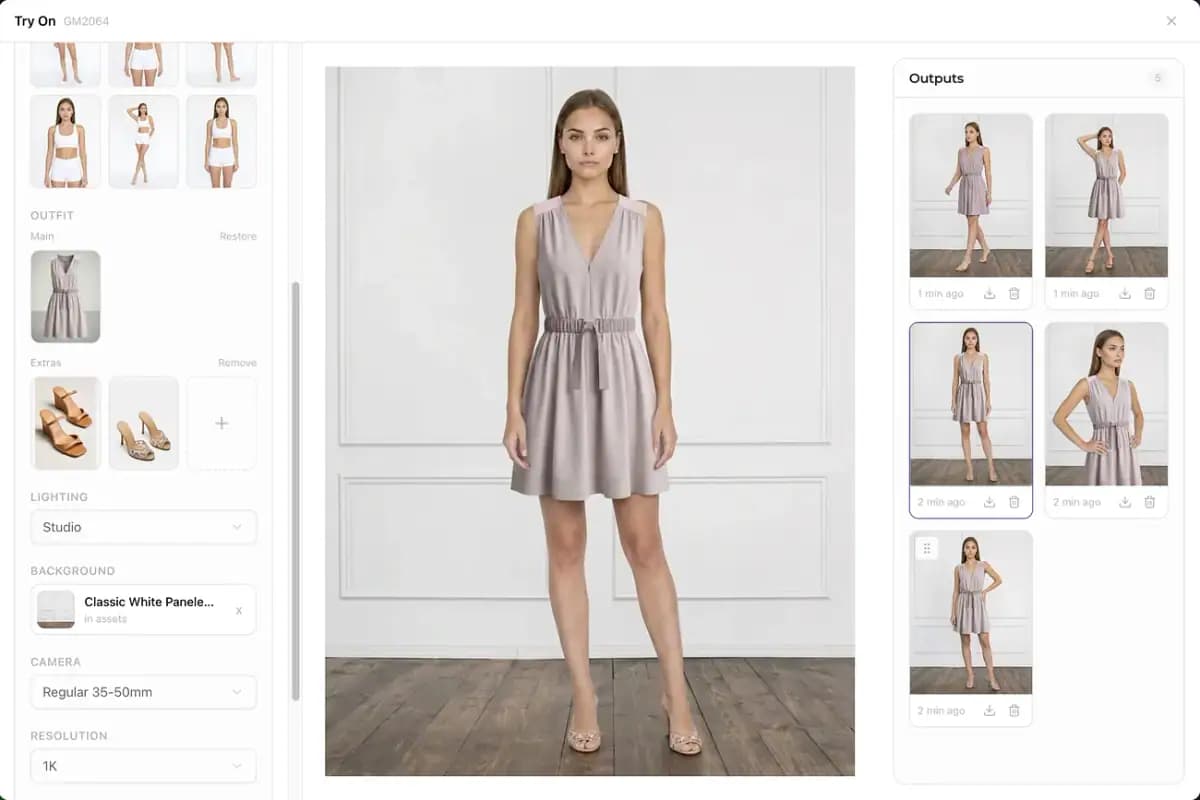
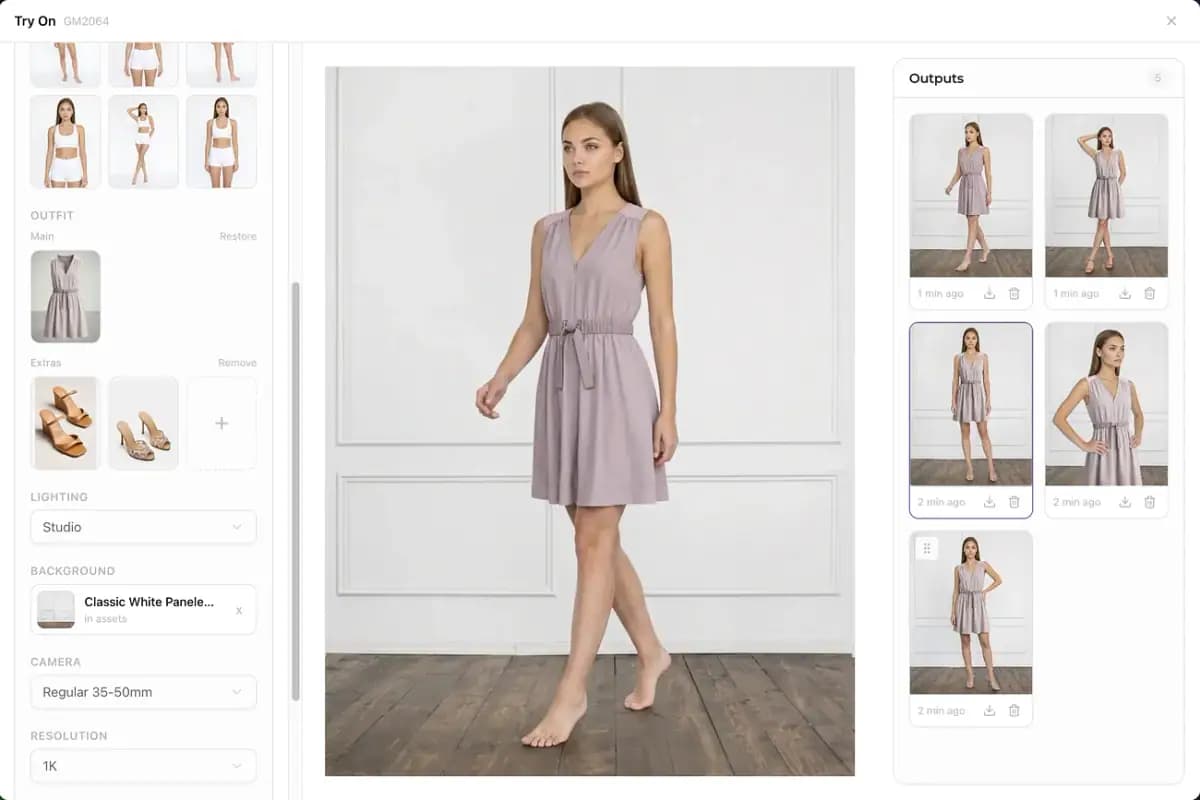
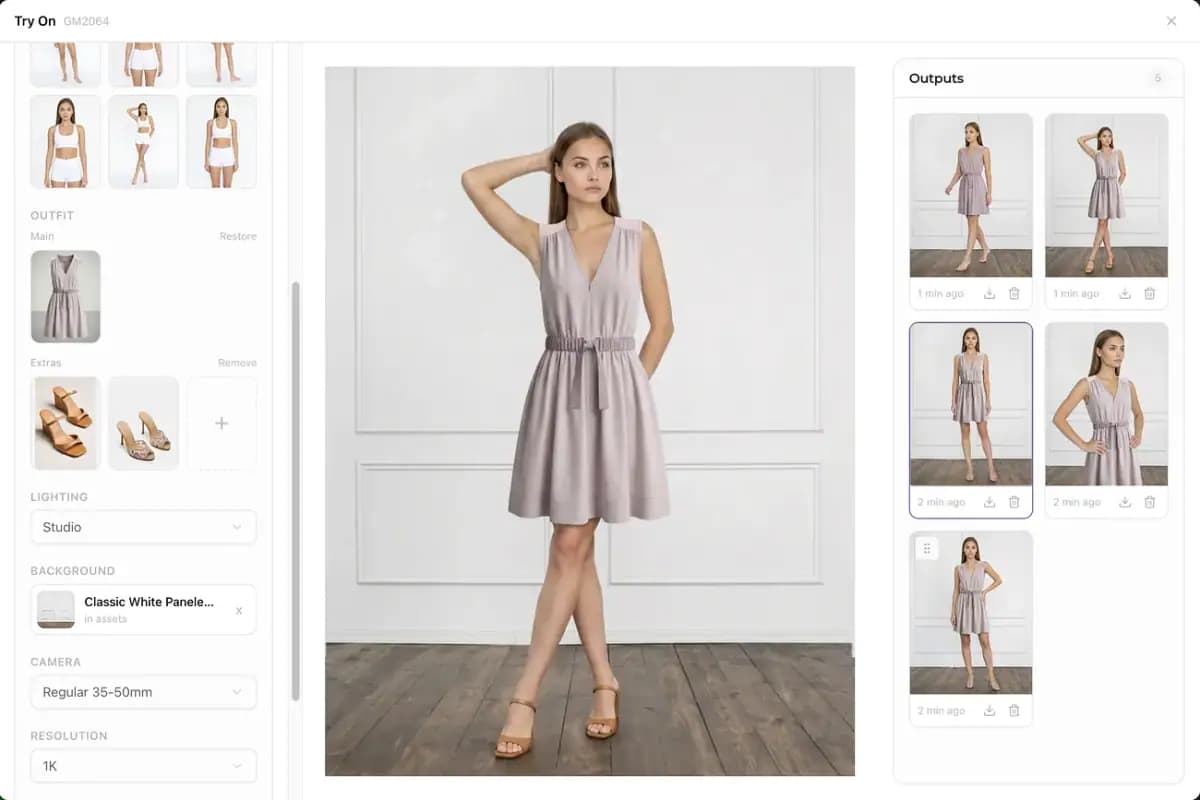
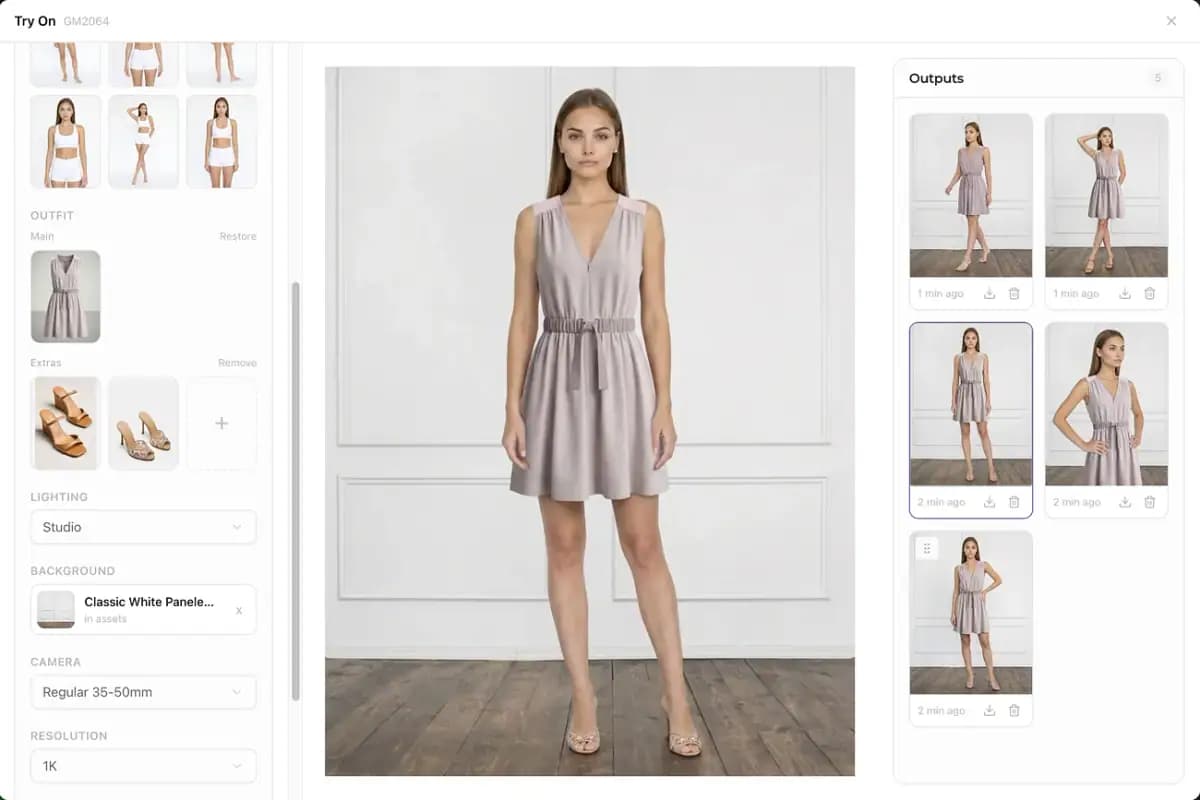
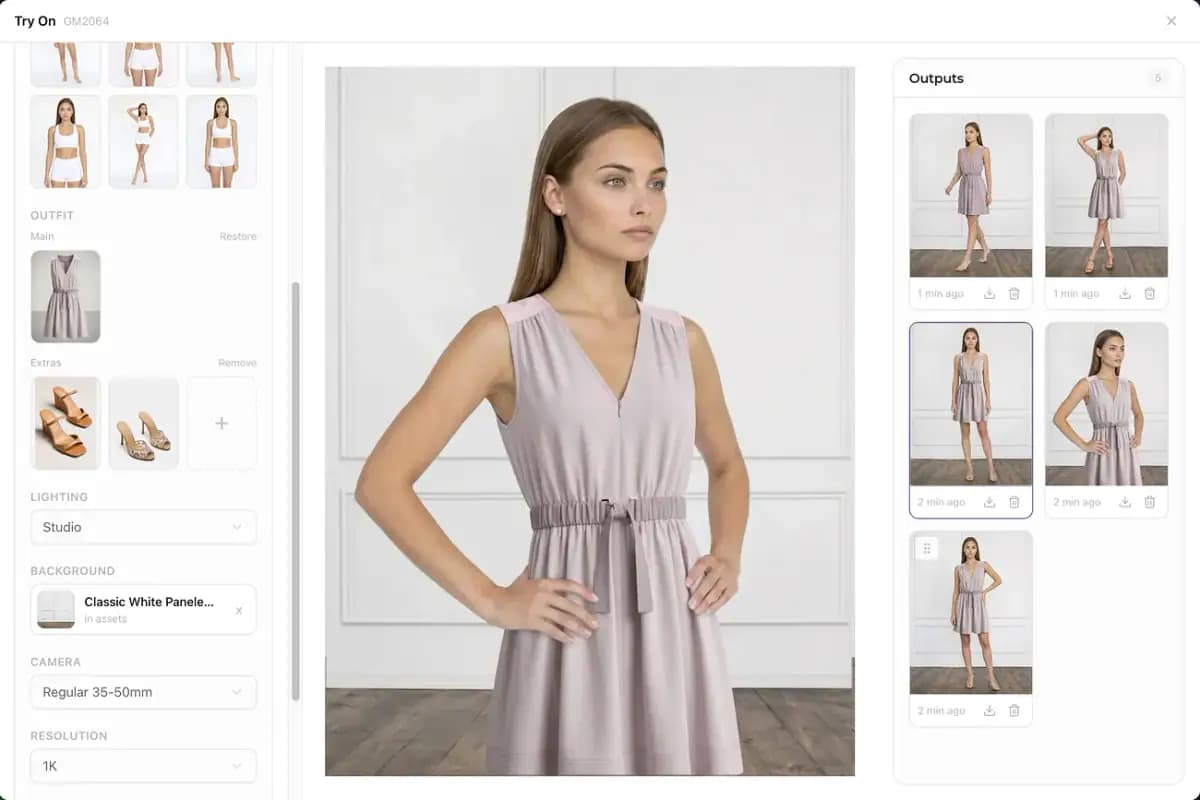
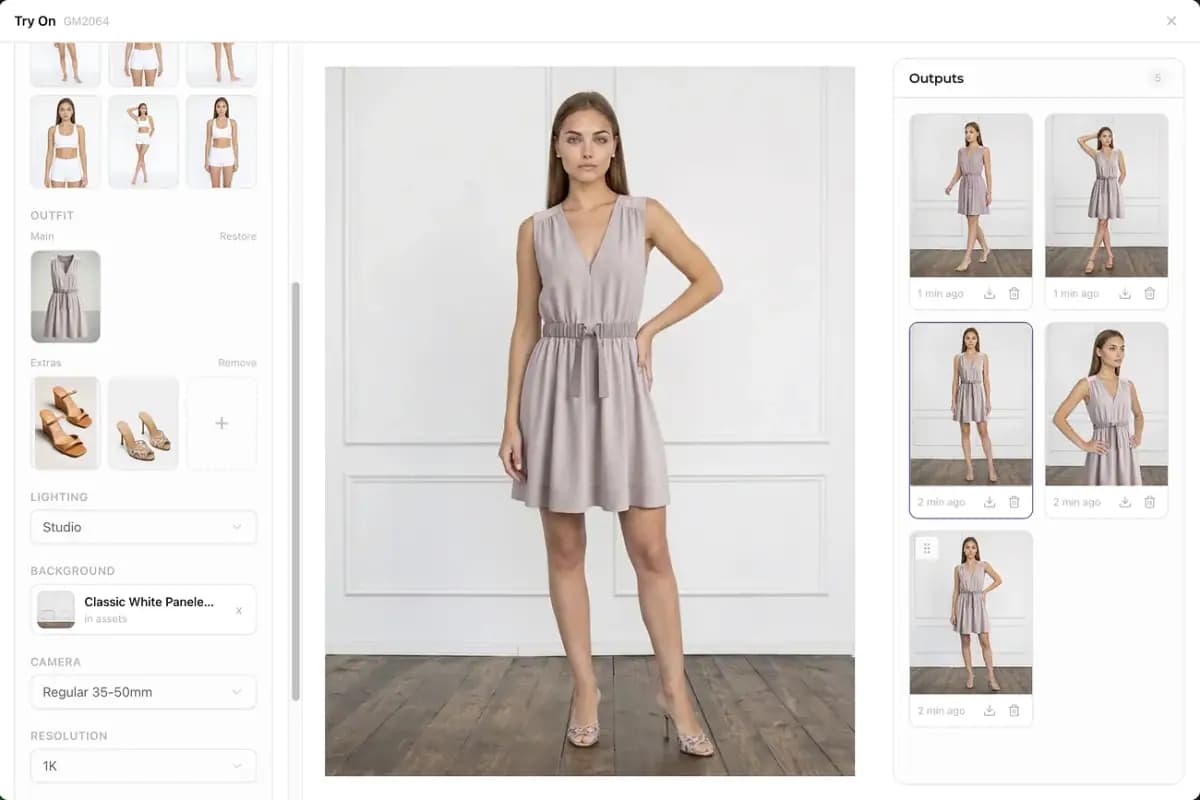
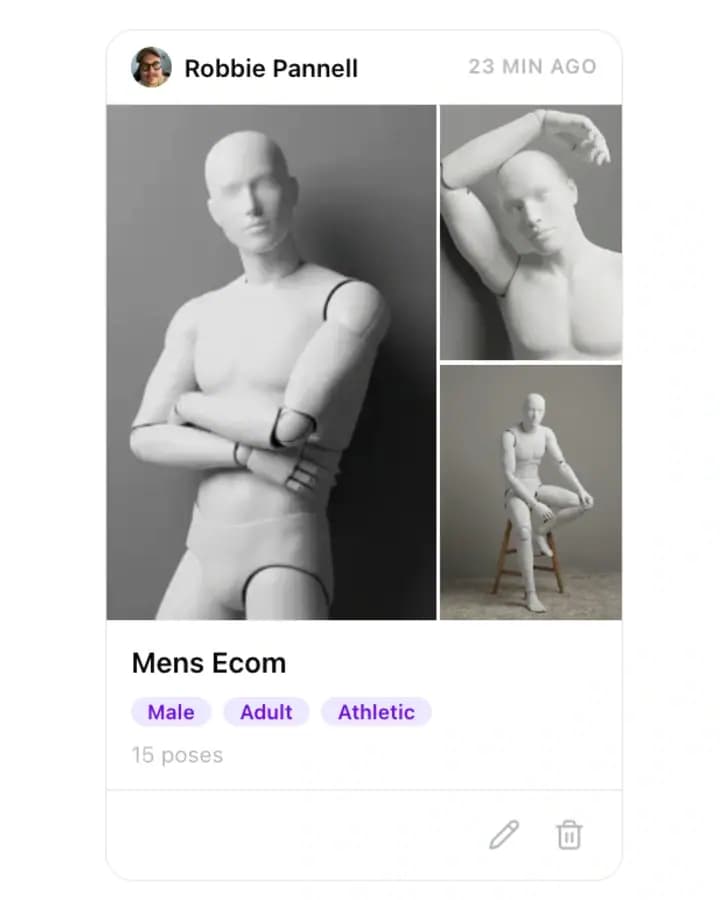
Reusable pose sets make image creation more scalable across categories.
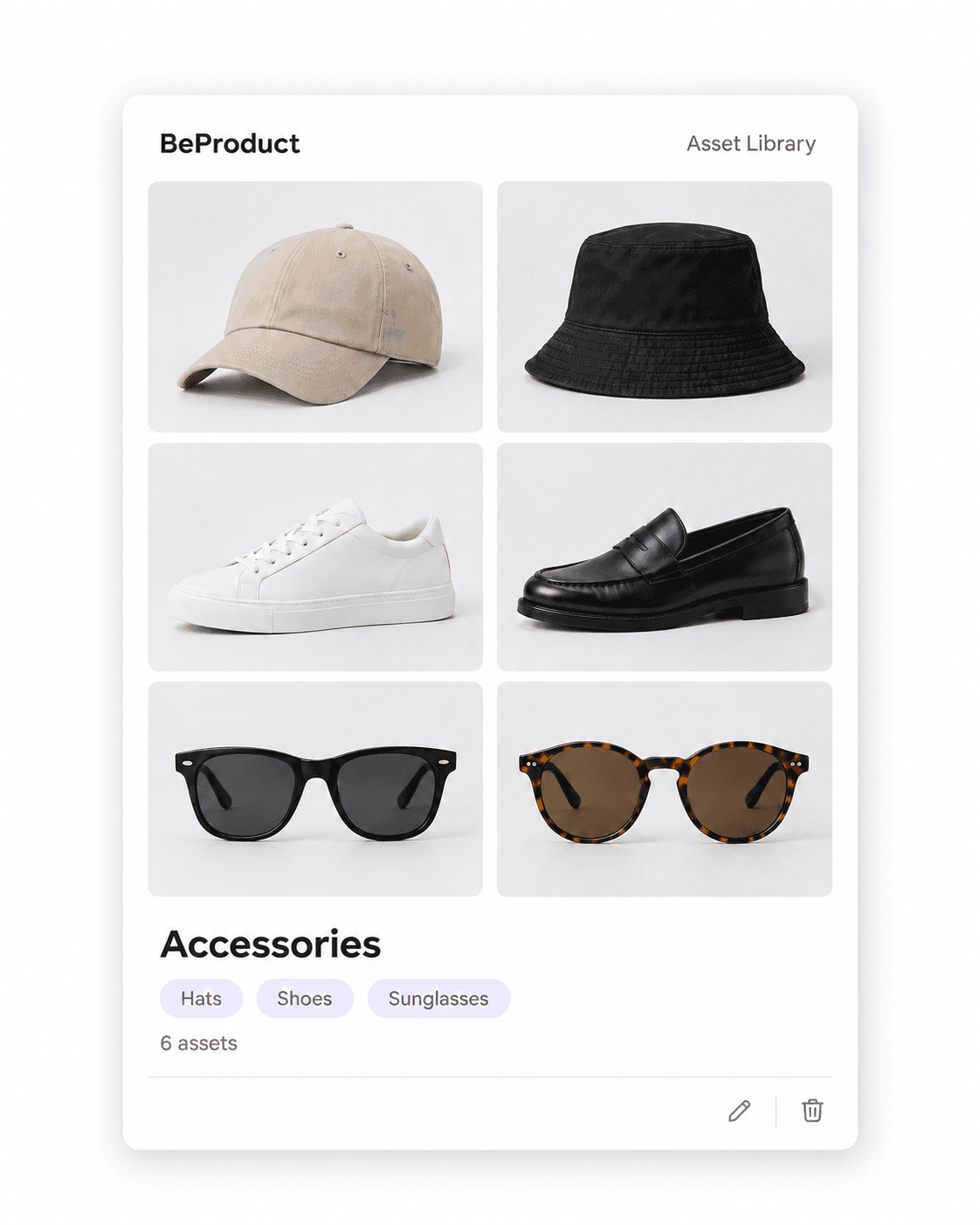
Organize hats, shoes, sunglasses, and other accessories in one reusable asset library.
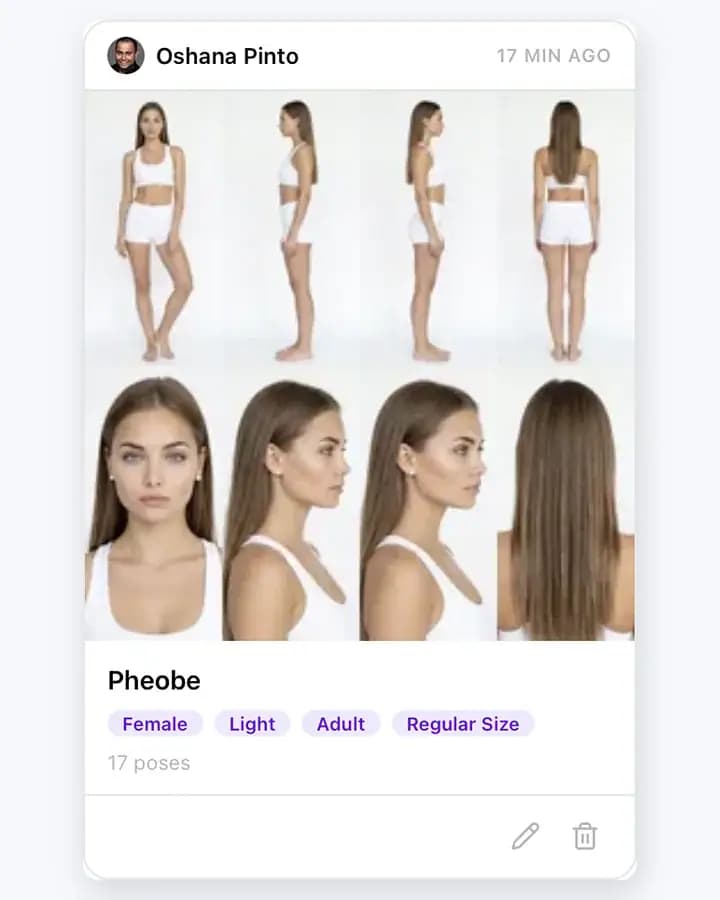
A better-organized model library for faster selection and reuse.
Trusted by the world's top brands, retailers, wholesalers and manufacturers.